EMM – Enterprise Mobility Management
One platform to manage your organization’s mobility
Turn scattered devices into one coherent mobility strategy.
What is Enterprise Mobility Management?
Enterprise Mobility Management (EMM) is an IT tool that enables a comprehensive approach to managing mobility across your organization. It brings device, application, user, and data security management together in a single platform. With EMM, organizations simplify the management of their mobile environment, strengthen data security, and give employees secure access to resources.
Why do organizations need EMM system?
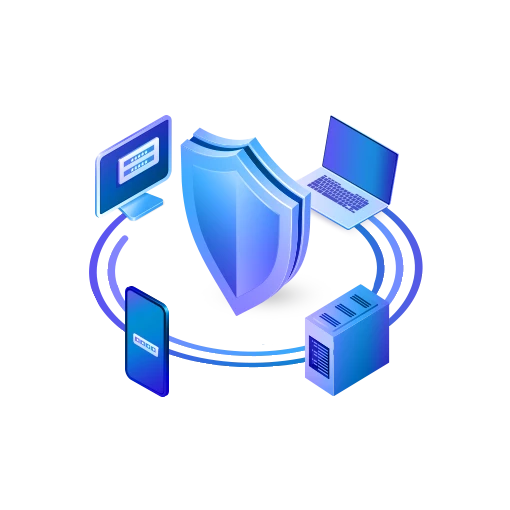
The number of mobile devices in organizations keeps growing. On top of that, remote and mobile work and the BYOD model mean that company data ends up on more and more devices operating outside the office. Without central management, maintaining security, compliance, and consistent configuration quickly becomes a challenge. Enterprise Mobility Management lets you manage your entire mobile environment from a single administration console.
How to build a mobility management strategy?
An effective Enterprise Mobility Management strategy is about more than managing devices – it also covers data, application, and user security, along with the automation of administrative processes.
Standardizing the environment
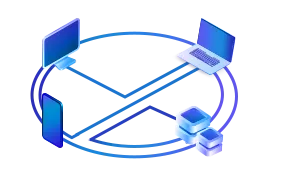
Unifying device, application and policy configuration simplifies management, reduces errors but also manual work.
Data protection
Consistent policies, access control, and data protection reduce the risk of incidents and support regulatory compliance.

IT process automation
Automated deployment, configuration, and updates cut IT workload and speed up getting devices ready for use.
Central management
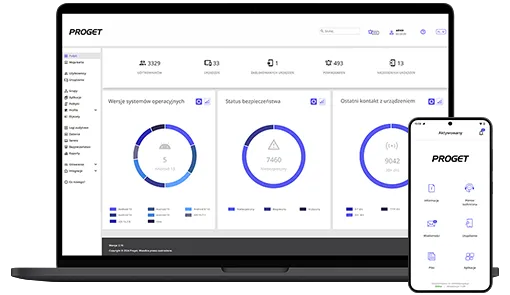
Monitoring and analyzing device status gives the IT team a real-time picture and lets them respond to problems and incidents faster.
What are the different device management models?
In the BYOD (Bring Your Own Device) model, an employee uses a private device for work purposes as well. The main benefits are lower costs for the company and greater convenience for the user. An EMM system can create a separate work profile on the device, keeping company data apart from private data and protecting the user’s privacy. The trade-off is a narrower scope of control than with company-owned hardware, so this model works best where flexibility matters more than maximum security.
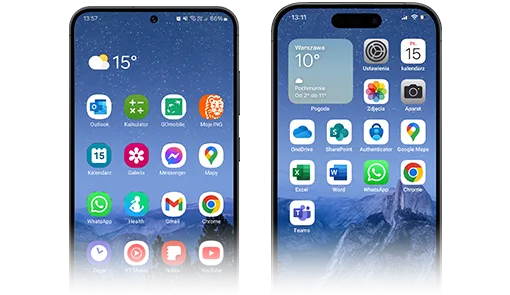
COPE (Corporate Owned, Personally Enabled) is a model in which a device owned by the organization can also be used for private purposes. The company manages the hardware and policies, while the user gets a separate private profile that the employer cannot see. The model strikes a balance between organizational control and employee convenience and lets the phone be treated as a benefit – hence its popularity in businesses and public administration. It is worth choosing when an organization wants to keep broader control over corporate data without taking away the convenience of using a single device for everything.
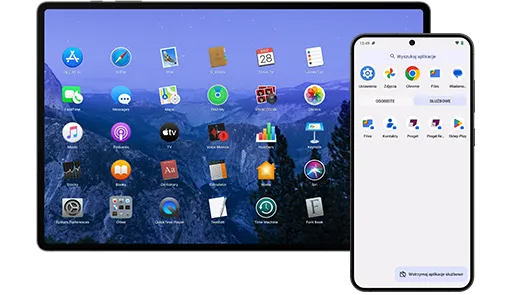
The COBO (Corporate Owned, Business Only) model provides the highest level of control. A company-owned device is intended for work purposes only. Here the EMM platform lets you not only manage the hardware but also block features unrelated to work, such as installing private apps or using entertainment. This keeps the device environment predictable and consistent with organizational policy. The model works wherever security and hardware reliability are the priority.
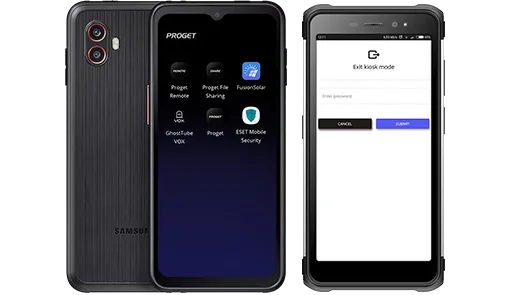
Dedicated Devices are company devices restricted to a single task or a narrow set of applications – you can think of them as the next level of control after COBO. With Kiosk mode, the EMM solution turns the hardware into a POS device, self-service checkout, barcode scanner, or vending machine, blocking all other apps and settings. In this role, rugged devices, built to withstand harsh conditions, are often used. The model is applied in retail, production, logistics, and public transport, where matching the device precisely to a specific purpose matters.
The most common threats to mobile data
Company data on mobile hardware is exposed at many stages – from everyday use, through app installation, to device loss. EMM helps reduce the risk of leaks.
- In everyday work: separating company and private data, encryption, and application control keep information from leaking while the device is in use.
- When installing apps: apps may request access to contacts, files, or location and share them with third parties. EMM lets the administrator grant apps only the permissions they need.
- On loss or theft: remote lock and wipe, together with automatic responses to threats, make it possible to act before data falls into the wrong hands, limiting the impact of the incident.

EMM vs. UEM – what’s the difference?
Enterprise Mobility Management (EMM) focuses on managing mobile devices, applications, and data security. Unified Endpoint Management (UEM) extends this concept, additionally covering computers, laptops, and other endpoints in a single platform. For many organizations, EMM is the foundation of a modern UEM environment. The Proget platform extends its EMM environment toward Unified Endpoint Management, making it possible to manage Windows and macOS computers as well, all from a single console.
Enterprise Mobility Management in practice
Drivers and warehouse staff work on scanners and terminals on the move, often far from the office. EMM lets you deploy this hardware in bulk, update it remotely, and locate the fleet – without taking devices off the route.

On the production floor, devices often pass from hand to hand between shifts and operate in tough conditions. EMM lets you share them, update company apps remotely outside working hours, and keep the whole fleet on the same configuration.

Advisors and branch staff reach for customer data on phones and tablets, under strict oversight from financial regulators and GDPR. EMM encrypts data, enforces access policies, and lets you remotely wipe a lost device.

POS terminals, self-service kiosks, and staff phones serve customers on the sales floor. EMM locks them into Kiosk mode for one or selected functions, updates them remotely, and quickly brings them back to work.

Medical staff check patient records from a tablet at the bedside, and telemedicine has moved some visits onto a laptop screen. EMM secures access to sensitive data and keeps devices ready to work between shifts.

Sales reps, field technicians, and on-site staff connect to company systems from anywhere, often from private phones. EMM sets up a work profile on them, separating company data from personal data without interfering with the rest of the device.

Government offices, uniformed services, and schools process a growing amount of citizens’ data on mobile devices. EMM makes it possible to manage the hardware centrally, enforce security policies, and meet NIS2 requirements.

What does deploying an EMM system look like?
Deploying the Proget solution does not require replacing your entire device fleet. The platform can be rolled out in stages, covering selected user groups, operating systems, or device management models. Regardless of scale, the deployment itself runs in a few steps:
- Analysis of the client’s needs and environment
- Choice of the Proget deployment model
- Enrolling devices in the console
- Configuring security policies
- Monitoring and management
The result: a consistent, secure, and easy-to-manage mobile environment.
Why do organizations choose Proget?
Proget proves itself where control over the device fleet, a deployment model that fits, and technical help from a local team all matter.
- Technological sovereignty – flexible deployment in an on-premise or cloud model, with the option to store data within the EU.
- Vendor support – direct contact with the engineers developing the Proget platform at every stage of deployment and operation.
- Ready for demanding organizations – a solution designed with the public sector and organizations with elevated security requirements in mind.
Test Proget in your environment
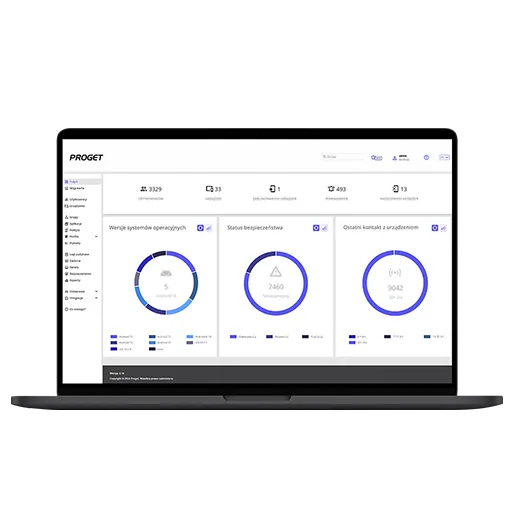
Start with a free trial, and the Proget team will help you configure your environment. Get access to the full Proget platform, technical support portal, and a practical knowledge base. If you decide to purchase, you will keep your account without losing any deployed data or enrolled devices.