
Jump to:
Gone are the days when securing a company’s IT environment with a firewall was enough to protect the organization’s resources – in line with the concept of ‘trusted’ network perimeter security. Today, most devices with access to corporate systems are smartphones, tablets, and laptops; many business tools and databases operate in the cloud; and remote work has become the norm. In this environment, a much more restrictive security approach is needed: the Zero Trust model, which we’ll discuss below. We’ll also explain why it’s currently difficult to implement without a robust MDM system.
What is Zero Trust?
Zero Trust is a security model based on the principle of ‘never trust, always verify.’
In this model, no one – not an employee connecting to the corporate network from the office, nor a CEO doing so from a laptop while on a business trip –automatically gains access to the organization’s resources simply because their device has logged in hundreds of times before. On the contrary, every access request, even if it comes from within the network, is treated as a potential threat and must therefore be verified.
How does Zero Trust work?
To be able to say with a clear conscience, ‘We ensure security in accordance with the Zero Trust strategy!’, the entire corporate IT ecosystem must be based on three pillars.
- Segmentation – the infrastructure should not be a single, large space where everyone has access to everything. Instead, it is divided into isolated zones (applications, databases, etc.), each with its own access rules.
- The principle of least privilege – each user is granted access only to those ’zones’ that they actually need to perform their tasks.
- Continuous identity verification – users and their devices are verified not just once when they log in to company tools at the start of their workday, but every time they request access to the organization’s resources.
Admittedly, this is a very rigorous approach to information security, but that is precisely why it is effective – especially in the age of widespread mobility.

Zero Trust and mobile devices
About 60% of devices that access business applications and data daily are laptops, smartphones, and tablets. Mobile devices, therefore, constitute the majority of entry points into corporate systems – and at the same time are the most difficult to secure and the most vulnerable to cyberattacks. According to a Zimperium report:
- currently, as many as 83% of phishing attacks target smartphone users,
- at any given moment, half of all smartphones and tablets are running an outdated version of the operating system, and a quarter can no longer be updated due to their age,
- 23% of mobile devices have software installed from unofficial sources (i.e., not from Google Play or the App Store).
The threats don’t end there: from a corporate data security perspective, even logging into public Wi-Fi networks (for example, in cafes) can be a problem, and, contrary to appearances, it’s not that hard to lose a smartphone.
Therefore, the statistics provided in the latest Mobile Security Index report by Verizon, the largest mobile operator in the U.S., should come as no surprise. In 2024, 45% of American companies experienced at least one smartphone-related security incident, and one-third of these incidents resulted in data breaches or at least brief operational disruptions.
For these reasons, a Zero Trust strategy must include mobile devices. However, to implement it, we need a tool that allows us to verify employees’ smartphones and tablets before granting them access to corporate resources; this is one of MDM’s purposes.
The MDM system as a key component of the Zero Trust strategy
MDM (Mobile Device Management) is a system for managing mobile devices – smartphones, tablets, and laptops – used by employees for business purposes. It provides IT teams with tools to, among other things, monitor device status and location and enforce security policies – such as which mobile apps an employee can use, which device functions they have access to, and so on. When building a complete Zero Trust architecture that relies not only on user identity verification, such tools will be essential.
Verification of mobile device status
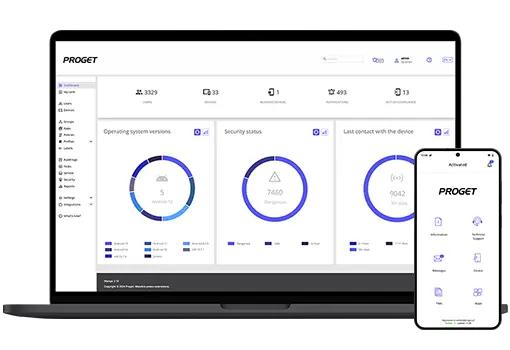
First, the MDM console contains a real-time updated registry of all company devices along with their detailed profiles, for example: what model it is, what OS version it has, what apps are installed on it, which employee it is assigned to, and so on.
Continuous compliance monitoring and data protection
A good MDM solution can also monitor device activity in real time – and this is important because the textbook Zero Trust model requires continuous verification that the device remains compliant with security policies at all times.
Newer mobile device management systems should have a built-in mechanism for automatically responding to potential security incidents, known as Mobile Threat Prevention. It monitors the device, the apps installed on it, and the network traffic – 24 hours a day, 7 days a week – and if it detects a potential security threat in these areas, it can, for example, cut off the device’s access to company tools.
And what might be suspicious? Many things:
- enabled developer options on the device,
- the presence of files used for rooting or jailbreaking,
- no password set,
- connection to an unsecured Wi-Fi network,
- an attempt to install an app from outside the official store,
but these are just a few examples of events that an administrator might flag as threats to company data, requiring an automatic response.
Access management based on the principle of least privilege
MDM can also help implement the principle of least privilege by allowing you to define which apps and features employees can use on their devices.
Imagine you have warehouse workers in your company who use tablets to scan barcodes and check inventory levels. Do they need access to their email inbox on these devices? No, and with MDM, you can easily enforce this. By configuring phones or tablets in Kiosk Mode, you limit them exclusively to the tools needed for daily work, blocking everything else, including the device’s system settings.
Even if you decide to give employees access to a particular tool, it doesn’t have to be full access! You can limit it by time (following the just-in-time principle) or restrict it to only selected functions (just-enough access).
Device location tracking
This MDM feature always sparks controversy among employees. Hence, its implementation requires considerable caution and tact on the company’s part.
Remember: if you plan to use location-tracking tools, do so in compliance with data protection regulations and with the employee’s consent!
In the context of a Zero Trust policy, tracking the location of company equipment on a map can enhance security. An MDM system allows you to quickly detect anomalies – such as a device appearing in an unusual location. In such a situation, the administrator can immediately take appropriate action. If someone loses a company smartphone or, worse, the device is stolen, MDM allows it to be remotely locked or wiped of all work-related data.
The IT department can also use geofencing, which involves setting a virtual boundary (e.g., matching country borders), beyond which the device automatically loses access to company resources. Conversely, MDM allows certain functions to be blocked within a specific area – for example, to prevent office-based employees from connecting to Wi-Fi networks other than the office network.
How to implement Zero Trust for mobile? – best practices
Let’s now discuss where to start when implementing stricter access controls for mobile devices using an MDM system, in accordance with the zero trust principle.
Device compliance requirements
First, you’ll need to define which devices are allowed to access company resources clearly. We’re referring here to purely technical issues, such as the minimum operating system version a device must have.
This is particularly important if employees are allowed to use their own devices. By definition, company-issued devices should comply with organizational requirements; however, when a company allows a BYOD model, this cannot be directly enforced. Instead, you can define device compliance requirements and monitor whether they are met in the MDM console.
Configuration and security policies
Second, you need to define how devices can be used, which means configuring specific profiles and security policies. A good MDM system will let you do this remotely, with just a few clicks, and for multiple devices at once.
What policies and profiles are definitely worth implementing?
- Passwords – always require strong passwords to unlock the device and set a timeframe after which the user must change them.
- App control – allow the download and installation of apps only from official stores (Google Play, App Store) and/or those provided directly by the organization. It is definitely worth blocking the installation of apps from unknown sources.
- Networks – you can, for example, block the ability to connect to public Wi-Fi networks or enforce the use of a VPN when connecting to company systems.
- Data management – it’s worth blocking the option to copy data between personal and work storage if employees use their own devices.
- Updates – you can also enforce the installation of system and app updates within a specified timeframe, e.g., within 7 days of the update’s release.
- Native device features – it might also be worth restricting access to certain features, such as blocking the ability to reset the device on one’s own?
Monitoring and optimization
The MDM system generates a wealth of information about how employees use their devices. For administrators, this is a true goldmine of insights worth exploring and drawing conclusions from.
Our advice:
- Regularly review logs and reports in the console – check which devices most frequently violate compliance requirements and analyze whether any patterns of suspicious behavior emerge.
- Update security policies periodically – it’s worth conducting a thorough audit of all security policies and compliance rules at least once every 2–3 months.
- Conduct tests – what happens if an employee’s smartphone is stolen? Check how quickly you can identify such a situation and, for example, remotely wipe the device.
- Gather user feedback – sometimes security policies can be too restrictive and actually hinder work. If too many employees are trying to circumvent them, maybe it’s worth changing them?
Summary: why you should implement MDM as part of a Zero Trust ecosystem
Managing a distributed IT ecosystem is always a challenge for an administrator – and that’s exactly what most companies’ infrastructure looks like today, in the age of smartphones, remote work, and the massive role of SaaS solutions. This is also why the Zero Trust approach has become the standard in cybersecurity.
However, without an MDM system, such an architecture will be incomplete. Zero Trust relies on continuous verification of user identities and the compliance of their devices with security policies… and it is precisely MDM solutions that provide the signals needed to assess this and enable remote enforcement of company policies.
According to IBM reports, in 2025 the average cost of a data breach for a company was… $4.4 million. On top of that, potential fines resulting from digital security regulations must be factored in. A well-implemented Zero Trust strategy, combined with the implementation of an MDM system, will significantly reduce the risk of such incidents – it’s hard to find a better argument for why such an investment pays off.
Zero Trust? Don’t forget about mobile.

Author: Magdalena Martens
Marketing manager with many years of experience, specializing in B2B communications in IT. Involved in the cyber security and Mobile Device Management (MDM) solutions topics for several years. Privately a fan of automotive and Kaizen philosophy.