
Jump to:
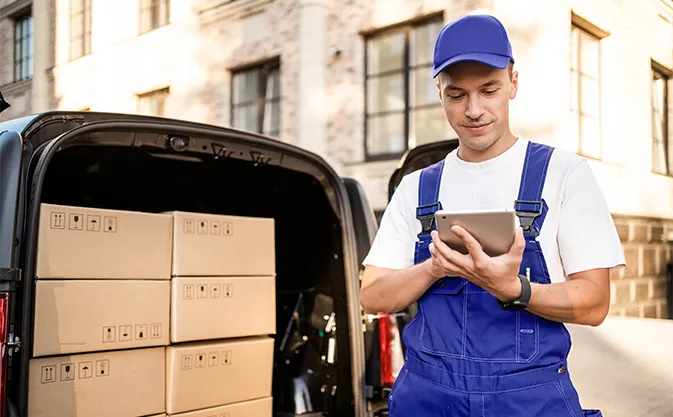
Today, a smartphone or tablet is just as essential a work tool for a courier as their van. The same can be said for all industries where mobility matters and where field workers are the main workforce. How can we make their work easier with the right technologies, including an MDM system? That’s what we’ll discuss in today’s post.
Who are field workers, and why should one invest in solutions for them?
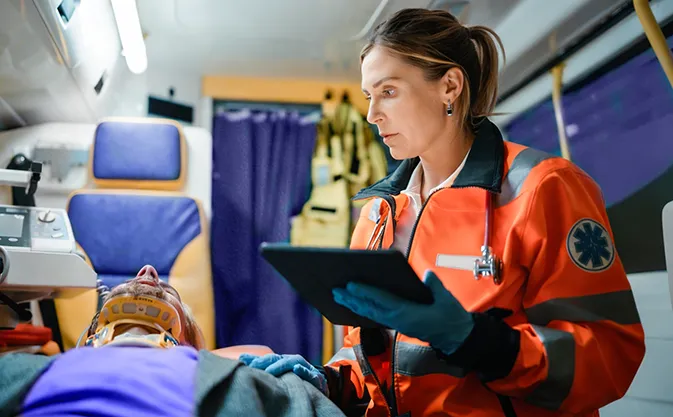
Mobile field workers perform their daily tasks in various locations, typically in a much more dynamic environment than the office setting, and often on the front lines of the company’s operations. We’re talking about couriers, warehouse workers, drivers, service technicians, salespeople, advisors (e.g., financial), construction crews, emergency services, and more. What they all have in common is that their work relies heavily on mobile technologies.
Did you know that, according to Microsoft estimates, mobile workers now account for about 80% of the global workforce? Yes, only one in five employees spends their day in the office!
Despite this, for a long time, most corporate IT investments focused on the latter. On the one hand, this is hardly surprising, as it is easier and cheaper to build a solid infrastructure at headquarters than to manage several hundred smartphones and laptops scattered across the country; on the other hand, it is precisely frontline workers who need reliable support the most. A huge portion of day-to-day operations in many industries rests on their shoulders, and mobile devices themselves are often the main (if not the only) tool at their disposal.
Fortunately, the situation is changing; in 2022, analysts at Gartner estimated that in the post-pandemic years, field workers would benefit from as much as 75% of investments in mobile projects.
How can technology support mobile workers?
We can easily identify a few areas where implementing mobile solutions will make frontline workers’ daily work easier.
No more paperwork
First of all, it’s the only way to say goodbye to paper. No one enjoys filling out forms, especially when at the end of the day you still have to scan them and send them to headquarters – or, worse yet, deliver them there in person. This approach to document management significantly hinders information exchange within the company, is time-consuming, and invites errors.
This should be one of the main reasons to invest in mobile devices and software for field workers. With their help, you can automate most tedious tasks not directly related to core duties, such as report generation.
Access to data here and now
Second, field workers need constant access to information – about customers, products, inventory levels, etc. – regardless of where they are at any given moment. If they are equipped with smartphones and tablets and have access to company tools (CMS, ERP systems, etc.), this should not be a problem.
Process standardization
Finally, mobile devices make it much easier to implement and maintain uniform procedures. In companies employing dozens (and sometimes hundreds) of field workers, a ‘everyone does things their own way’ approach quickly leads to chaos. However, if all frontline employees use, for example, the same reporting app, the process becomes more organized and efficient – and on top of that, new team members can be onboarded much more smoothly.
What affects the efficiency of mobile work?
However, for mobile technologies to actually support field workers rather than create additional problems for them, several conditions must first be met.
Reliable equipment and functional apps
Mobile workers expect tools that are reliable, fast, and intuitive. It’s obvious, but in practice, things can vary.
Imagine a courier with 120 packages to deliver in a single day. They’re unlikely to be able to handle them all by 4 or 5 p.m. if they suddenly lose access to the courier app or to their route-planning and optimization tool.
And such situations, unfortunately, do happen – for example, because the smartphone’s OS spontaneously starts installing updates that have been postponed for days.
Essential tools and data
Another example: when a sales representative visits a potential customer, they must be able to check the current price list and product availability in a matter of seconds. They should also have access to the customer’s order history and correspondence – so they know what to discuss with the customer – as well as to the order management system to finalize the transaction on the spot if the sale is successful. Without this, a significant portion of the workday would be spent making calls to headquarters, and that’s not the point.
That is why every field employee must have a full suite of company apps on their device (preferably already configured!), along with contact information for their direct supervisors, necessary documents, and so on.
Remote support
One of the biggest headaches of field work is that when something stops working, you can’t just walk over to the IT department. You either have to contact the help desk, which doesn’t always solve the problem, or wait for someone from headquarters to come and handle the issue, or possibly send the device to the office if we’re talking about a more serious failure. Ideally, administrators have access to a remote desktop, but more on that in a moment.
Work-life balance
Something that is rarely discussed in the context of technology. Mobile workers often use their own devices (in the so-called BYOD, or Bring Your Own Device, model) or carry a company phone 24/7. But the problem arises of how to draw the line between private and work life – so that an employee doesn’t receive notifications from company apps on their free afternoons, or so that work messages don’t get mixed up with text messages from their kids?

How MDM supports the mobile workforce
Many of these problems can be solved with MDM, a system for remotely managing mobile devices, including company-issued smartphones, tablets, and laptops. MDM gives IT administrators extensive control over field workers’ devices – all without leaving the office. How does this translate into productivity (and comfort!) for frontline workers?
Managing mobile devices with MDM
- Before employees even receive their devices, the administrator can prepare them in bulk – configuring system settings and security, installing all necessary applications, uploading documents, and syncing email accounts.
- Later, once the devices are in use, MDM enables remote management of updates – for example, an administrator can schedule them to install after hours. As a result, employees don’t have to spend time on this during the workday, and the company can be sure that everyone has the latest software.
- Every good MDM offers a so-called remote desktop – it allows the administrator to take control of the device remotely, see what problem the user is experiencing, and fix it themselves without contacting the help desk.
- For those who use their own devices for work – MDM allows a separate work profile to be created on a smartphone or tablet, distinct from the personal profile. The administrator ensures the security of company data in the workspace, but only the employee has access to files in the personal space, such as vacation photos.
These are a few examples of how MDM can help mobile employees. By implementing such a system, not only can you relieve them of worries about all the “technicalities,” but you can also avoid downtime in the event of device issues. Both the company and the employee benefit from this. 😊

MDM strategy for field employees
The next question is: how to implement an MDM strategy with a mobile workforce in mind – so that the system actually supports employees rather than complicating their lives (which it often does)?
Here are a few tips on how to do it right.
- First and foremost, understand your employees’ needs. A sales representative who meets with B2B clients daily will need a completely different configuration and set of capabilities on their device than a warehouse worker.
- Implement security policies wisely. Yes, security is paramount, but the safeguards you put in place must not hinder work. A simple example: automatic device locking. You could set employees’ phones to lock after 30 seconds of inactivity – for security! – but you can imagine many situations where this would be a hindrance.
- Before implementation, it’s always a good idea to communicate with employees:
- what the new system on their devices is intended for,
- what information the IT department will have access to and what it won’t,
- and how they can get support if they have questions.
- After implementation, be sure to gather feedback: whether the software makes employees’ lives easier, whether the security policies are too burdensome, whether MDM has already helped resolve a technical issue remotely, and so on.

Expectations vs. reality
Finally, a piece of advice closer to psychology than IT – any change to established processes, even the implementation of an MDM system, must be approached with caution.
Managers often assume that employees will automatically be thrilled with new solutions, especially technological innovations. Meanwhile, for most people, such innovations primarily mean moving away from something they already know. And change always meets resistance.
That is why communication is so important. Employees must be aware from the start why the company is introducing new solutions, how they will help them in their daily work, and exactly what will change. The organization should also demonstrate its readiness to support employees through the transition.
According to the Microsoft Work Trend Index report, 63% of field workers are “excited” about the opportunities mobile technologies offer them at work – but only when they know how to use them and why they should do so.
Looking for MDM
solution for field workers?

FAQ about MDM for mobile workers
Will MDM work for a small business with a dozen or so field workers?
Yes, although the scale of the benefits will differ from that in large organizations. Even in a small business, MDM will eliminate the problems with managing updates, help quickly resolve employees’ technical issues, and better protect company data. Implementing the system itself will also be less expensive; MDM costs scale with the number of devices.
Will implementing MDM require training for mobile employees?
Not necessarily – such training needs to be organized primarily for IT administrators who will be working with the new system. From the perspective of a “frontline” employee, MDM is essentially invisible, so it’s enough to cover the basics: explain where employees can seek help in case of technical issues, how work profiles function, and what specific information on the device administrators will have access to.
Will a device connected to MDM work without internet access?
The employee will be able to use the installed apps normally. However, data synchronization between the device and the MDM will occur only once a network connection is established. Some MDM features – such as remote desktop – will also be available only online.

Author: Magdalena Martens
Marketing manager with many years of experience, specializing in B2B communications in IT. Involved in the cyber security and Mobile Device Management (MDM) solutions topics for several years. Privately a fan of automotive and Kaizen philosophy.